Smartphone 4K video guide: Best tips for mobile creators
To shoot 4K video with a smartphone, you must ensure your device supports the resolution and select high-bitrate settings to maintain clarity. This guide is for mobile creators seeking professional sharpness, focusing on resolution selection, stabilization, and lighting requirements. You should avoid low-light environments that cause grain and prioritize sufficient storage space for large files. 1. Verify 4K resolution support in camera settings. 2. Prioritize high frame rates for smoother motion. 3. Use external stabilization to prevent micro-jitters. * Manage large file sizes through regular storage audits.
How do I get the best 4K settings on my phone?
A hand grips a sleek smartphone, sliding a finger across the screen to navigate the deep camera menu. The bright display shows the transition from 1080p to 4K, revealing the increased density of pixels. Selecting the right resolution is the foundation of any high-quality mobile production.
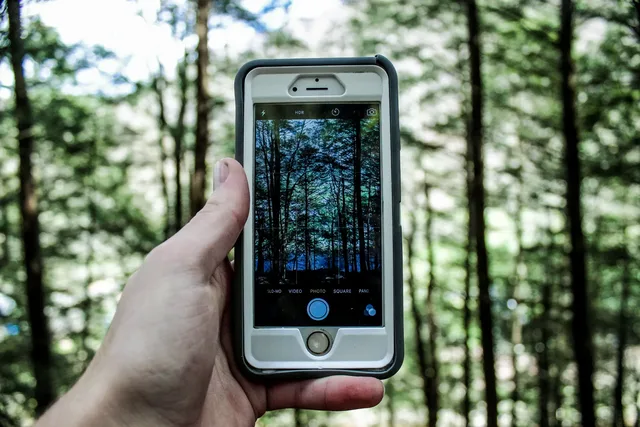
To achieve sharp footage using this smartphone 4K video guide, you must first enter the camera application and locate the video resolution toggle. Most modern devices allow you to switch between Full HD and 4K UHD. While 4K provides significantly more detail, it requires much more processing power and storage.
When choosing your settings, consider the frame rate. Shooting at 30fps or 60fps is standard for 4K. A higher frame rate like 60fps offers smoother motion, which is ideal for action, but it will fill your memory card even faster.
You must balance the need for detail with the physical limits of your device's hardware and available space.
How to achieve sharp 4K footage?
The sun hangs low over a park, casting long shadows across the grass as a creator holds a smartphone steady. The lens catches the glint of light, preparing to capture the high-resolution textures of the landscape. Achieving professional clarity requires more than just a high resolution setting.
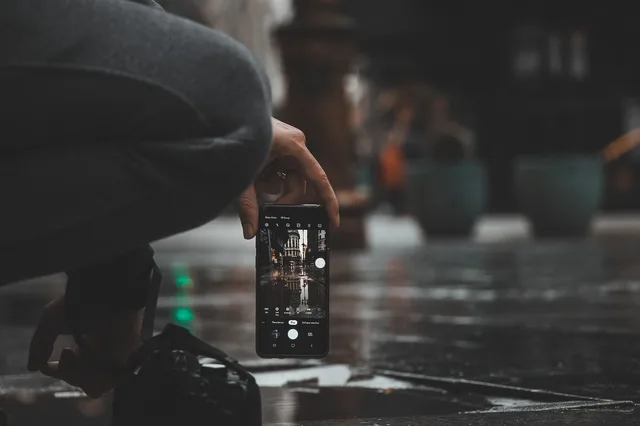
Smartphone video quality tips often center on the stability of the shot. Even at 4K, a shaky video looks amateurish because the high resolution makes every tiny tremor visible. Using a tripod or a handheld gimbal is essential to maintain a steady horizon.
Lighting needs for high resolution are more demanding than standard video. Because 4K captures finer details, shadows can appear more pronounced and noise becomes more apparent in dark areas. Ensure your subject is well-lit by natural or artificial sources to prevent the sensor from struggling.
Camera specs for 4K capture dictate that the sensor needs ample light to render those extra pixels without introducing digital grain.
How can I stabilize my phone footage?
A person stands on a busy street corner, holding a smartphone out toward a moving vehicle. The sensation of vibration from the passing car travels through the grip, threatening to blur the high-resolution image. Stabilization is the bridge between a shaky clip and a cinematic look.
Stabilization techniques for phones generally fall into two categories: software and hardware. Many devices offer "Super Steady" or "Electronic Image Stabilization" (EIS) modes. These use software algorithms to crop the frame slightly and smooth out movement.
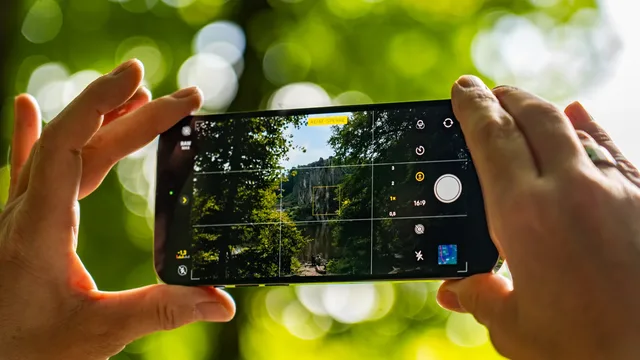
However, these modes sometimes reduce the effective resolution or perform poorly in low light.
For the best results, I prefer using a physical gimbal to counteract movement. This hardware approach provides mechanical stability that software cannot perfectly replicate.
When the gimbal moves, the 4K image remains fluid and professional, avoiding the "jello effect" often seen in electronic stabilization.
How to use professional camera settings?
The thumb presses a button on the screen, shifting the interface from a simple viewfinder to a complex grid of numbers. The screen now displays ISO, shutter speed, and white balance, providing total control over the light. Mastering these manual controls is the key to consistent 4K production.
To implement professional settings, follow these steps:
- Open the "Pro" or "Manual" mode within your camera application. 2. Adjust the ISO to the lowest possible value to minimize noise in your 4K files. 3. Set the shutter speed to double your frame rate (e.g., 1/60 for 30fps) to maintain natural motion blur.
After these steps, perform a final check by reviewing the exposure levels on the screen to ensure highlights are not blown out. This manual control allows you to maintain a consistent look even as lighting conditions change during a shoot.
Is there a comparison for 4K vs 1080p?

A creator sits at a desk, comparing two clips on a large monitor: one crisp and detailed, the other slightly soft. The side-by-side view makes the technical differences immediately apparent. Understanding the trade-offs helps in deciding which mode to use for specific projects.
| Feature | 4K Resolution | 1080p Resolution |
|---|---|---|
| Detail Level | High | Standard |
| File Size | Large | Moderate |
The choice depends on your final destination. If you are uploading to a large screen or planning to crop the footage later, 4K is the superior choice. If you need to save space or are recording long durations, 1080p remains a functional standard.
What are the limitations when shooting 4K video?
- The device's processing capability sets a limit on how effectively it can render the extra pixels found in 4K video. 2. Insufficient storage space presents a direct barrier to shooting long sequences of 4K video. 3. Low-light conditions create a condition where digital grain becomes noticeable, even with high resolution.
The hardware constraints of a smartphone mean that the final quality of the shoot is always tethered to the phone itself. When learning how to shoot 4K video, you are pushing the sensor to its maximum capacity, which demands careful management of the input variables.
How does frame rate affect the final video shoot?
The frame rate selection dictates the perceived smoothness of the motion captured during the shoot. A higher frame rate, such as 60fps, generates a smoother visual experience compared to a standard 30fps shoot.
However, this increased rate accelerates the rate at which large files are created, demanding more storage management.
When comparing frame rates, remember that the goal is balancing motion fluidity against memory consumption. For instance, if the action in your video shoot is fast, selecting 60fps helps convey that energy without introducing excessive choppiness.
Conversely, a slower frame rate might suffice for static shots.
When reviewing your finished video shoot, observe how the frame rate interacts with the shutter speed you manually set. Setting the shutter speed to double the frame rate helps achieve a natural motion blur, which is a key element in professional video aesthetics.
This procedure ensures the movement looks organic rather than artificially frozen.
FAQ
Does 4K video use more storage?
Can I use 4K on any smartphone?
Related posts

Mobile street photography ethics: how to respect dignity
iPhone 18 Pro best camera feature: Quad-sensor array guide

Light affects phone photos: Mobile photo lighting guide tips





Comments 0