AI lighting 90 guide photo texture best tips
"The direction of light defines the soul of a landscape, turning a flat image into a dramatic story of shadow and texture."
* Identify the primary light angle for depth. * Simulate 90-degree side lighting to create texture. * Adjust beam intensity to manage shadow density. * Use AI to refine the transition between light and dark.
How can you use AI lighting direction control for landscapes?
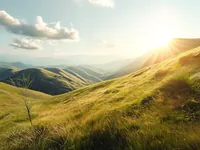
At sunset, I stand on the ridge and feel the cold wind while manipulating the AI lighting direction control to wrap shadows around the cliffs.
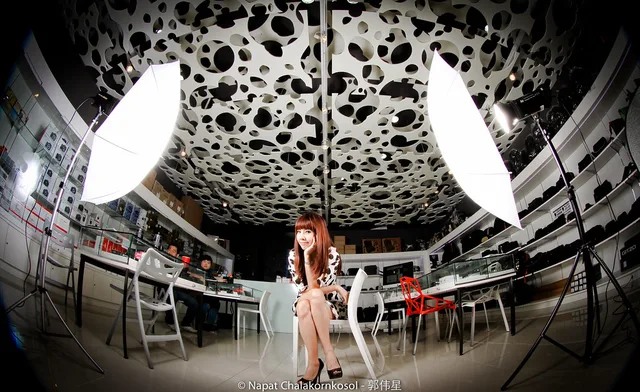
A photographer stands on a ridge at sunset, watching the long shadows stretch across the valley floor. They open an AI-powered editing suite to manipulate the perceived direction of the sun, aiming to enhance the rugged texture of the cliffs.
Using AI lighting direction control allows you to redefine where the light hits your subject after the shot is taken. By selecting a virtual light source, the software calculates how light rays should interact with the contours of a mountain or a forest.
You can shift the light from a top-down midday position to a low-angle golden hour effect. This process involves selecting an AI source for light that matches the desired atmospheric mood.
When you apply AI light beam control, the software analyzes the depth map of your landscape. This allows the tool to "wrap" light around rocks or trees, creating a sense of three-dimensionality that was missing in the original exposure.
Instead of just brightening the image, the AI redirects the flow of light to simulate a specific time of day.
How can I best practice adjusting AI light direction?
I sit at my desk during the afternoon and feel the warmth of my coffee while tweaking the AI lighting direction to reshape the mountains. I sit at my desk with a flat, midday landscape photo, feeling the frustration of its lack of dimension and wishing I had an AI landscape photo lighting guide. I begin the process of adjusting light direction AI to see if I can breathe life into the dull greenery.
To effectively use these tools, follow these steps:
- Select a focal point in the landscape to serve as the primary subject for light interaction. 2. Position the virtual light source at a specific angle, such as a 90-degree offset, to mimic split lighting. 3. Adjust the height of the light source to be at eye level or slightly above to control shadow length.
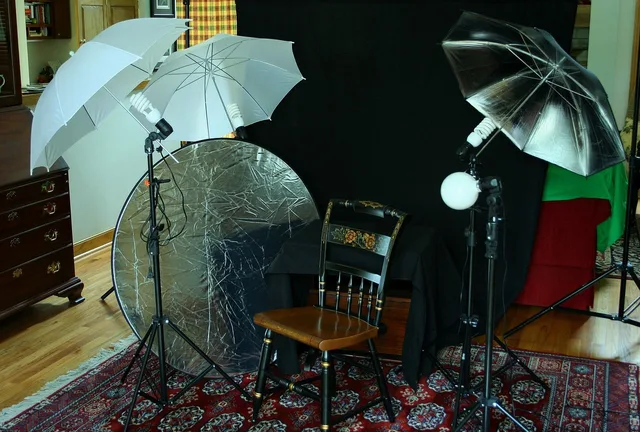
After setting the angle, I check the shadow falloff to ensure it looks natural against the terrain. I find that placing the light at a 90-degree angle to the subject helps define the edges of the landscape features.
Can AI actually simulate split lighting in my scenes?
A technician adjusts a digital slider on a tablet, watching as the light on a digital mountain range shifts from the center to the far left. The light moves steadily, carving out deep crevices in the stone.
Split lighting is a specific technique where the main light is placed off to the side of the subject at about 90 degrees and positioned at face height or slightly above. While traditionally used in portraiture, AI tools can apply this principle to landscape elements.
By mimicking this 90-degree positioning, the AI creates a sharp division between light and shadow.
This technique is particularly useful for highlighting the rough textures of rocks or the intricate patterns of sand dunes. Precise light control AI ensures that the transition from the illuminated side to the shadowed side follows the physical geometry of the landscape.
This creates a dramatic, high-contrast look that emphasizes form.
Comparing light source positions
| Light Position | Visual Effect |
|---|---|
| Frontal (0°) | Flattens texture and minimizes shadows |
| Side (90°) | Enhances texture and creates split lighting |
What are the limits of AI light shaping?
A user attempts to brighten a dark forest floor, but the shadows look unnaturally sharp and disconnected from the trees. The attempt to force light into a deep shadow reveals the software's boundaries.
The effectiveness of these tools is limited by the original data present in the photograph. If a landscape is extremely underexposed or lacks sufficient detail in the shadows, the AI may struggle to accurately map where the new light should fall.
This can result in "halos" or lighting that looks disconnected from the environment.
- To master AI lighting direction control, you must learn how to simulate or manipulate light sources to mimic specific angles that enhance depth.
- This guide focuses on using AI-driven tools to position virtual light at precise angles, such as the 90-degree split lighting technique, to control mood and shadow.
- You will learn how to select light sources, adjust the beam angle, and refine the shadows, though results may vary depending on the initial contrast of your original photo.
How does light direction affect perceived depth?
- The direction of light fundamentally shapes the visual narrative of a scene, transforming a simple depiction into a compelling story through shadow and texture. 2. Simulating specific light angles, like the 90-degree split lighting, enables precise control over the resulting mood and the distribution of shadow. 3. Adjusting the beam angle and refining the shadows allows the user to manipulate the perceived three-dimensionality of the landscape.
When the light source is positioned to create pronounced shadows, the AI tool analyzes the depth map to create a sense of form. This redirection of light simulates a specific environmental condition, such as the low angle of the golden hour.
The initial contrast of the original photo dictates how successfully the AI can implement this directional light change.
What conditions must be considered when refining light direction?
- The success of AI light manipulation is constrained by the inherent data within the source image. 2. If the original photograph possesses low detail in the shadows, the software may fail to accurately map the new light placement. 3. This limitation can manifest as unnatural lighting effects, such as disconnected shadows or visible halos.
The technician observing the digital mountain range must account for the original exposure when applying directional light. For instance, attempting to introduce strong light into an extremely dark area requires careful consideration of the software's boundaries.
The quality of the final light direction relies heavily on the initial visual information the AI receives.
When does texture enhancement become most apparent?
Texture enhancement is most noticeable when the light direction is set to a side angle, such as 90 degrees. This positioning forces the light to graze the surfaces of objects, thereby accentuating every ridge and crevice.
The AI interprets this directional input to define the edges of the landscape features with greater clarity. This technique moves beyond mere illumination to sculpt the visual surface of the scene.
FAQ
Is 90-degree lighting effective for landscapes?
Can AI change the perceived time of day?
Related posts
Popular posts
AI lighting guide for video: How to guide best light source

AI photo editing guide: How to improve photo color with AI

Backlight guide: Tips for controlling window light exposure

Comments 0