Portable photo archive guide: Tips for secure photo archive
"Data is a fleeting shadow unless it is captured in a format that survives the technology that created it."
Managing a personal photo archive requires moving beyond simple storage to ensure long-term survival through data portability.
This guide details how to secure your digital legacy by applying professional preservation principles to personal collections, covering format selection, risk assessment, and secure transfer.
Key takeaways include selecting non-proprietary formats, understanding repository audit standards, and implementing regular data migration.
How can I ensure my digital photo data remains accessible?

At my cluttered desk, I gripped the cold metal of the portable drive while wondering if these files would survive the coming years.
A photographer sits at a desk, staring at a hard drive that hums with the weight of a decade of memories. They must decide which file formats will survive the next decade of software updates.
To maintain accessibility, you must prioritize non-proprietary and well-established file formats.
For instance, the Smithsonian Institution Archives considers uncompressed TIFFs to be "a good preservation format for born-digital and digitized still images because of its maturity, wide adaptation in various communities, and thorough documentation." Using these types of files ensures that your digital photo data transfer remains possible even as software changes.
The goal is to move personal photos safely from temporary devices to permanent storage. By choosing open standards, you avoid being locked into a single manufacturer's ecosystem. This strategy provides a reliable portable photo archive guide for anyone looking to preserve their life's work.
- Create multiple copies of your files using different storage media.
- Implement a regular verification process to check for data integrity.
- Maintain a clear file naming convention to prevent loss of context.
What are the risks to a digital photo archive? Portable photo archive guide
A user opens a folder and finds dozens of corrupted files, realizing their backup was not as secure as they thought. The realization hits that storage is not the same as preservation.

Managing personal image data requires understanding that hardware and software will eventually fail. You need a strategy for secure photo archive storage that accounts for bit rot and hardware obsolescence. A primary method for identifying these vulnerabilities is through formal risk assessment.
The Digital Repository Audit Method Based On Risk Assessment (DRAMBORA), introduced by the Digital Curation Centre (DCC) and DigitalPreservationEurope (DPE) in 2007, offers a methodology and a toolkit for digital repository risk assessment.
Applying these professional-grade concepts helps you identify where your personal archive might be vulnerable to loss.
In this sequence, the second risk is the most significant.
How can I verify the reliability of my storage providers?
Late at night in the quiet office, I squinted at the screen and tapped my fingers nervously against the desk while checking the encryption of my portable backup.
A person scrolls through a cloud service's terms of service, wondering if their family history is truly safe in a remote data center. They seek assurance that the provider follows industry standards.
When choosing a provider, look for organizations that adhere to international standards for trustworthy repositories.
Using these standards as a benchmark allows you to evaluate if a service is truly a "trustworthy digital repository." While you may not be able to perform a full audit yourself, knowing these standards exist helps you make informed decisions about where to host your most precious data.
What steps should I take to migrate my photos?
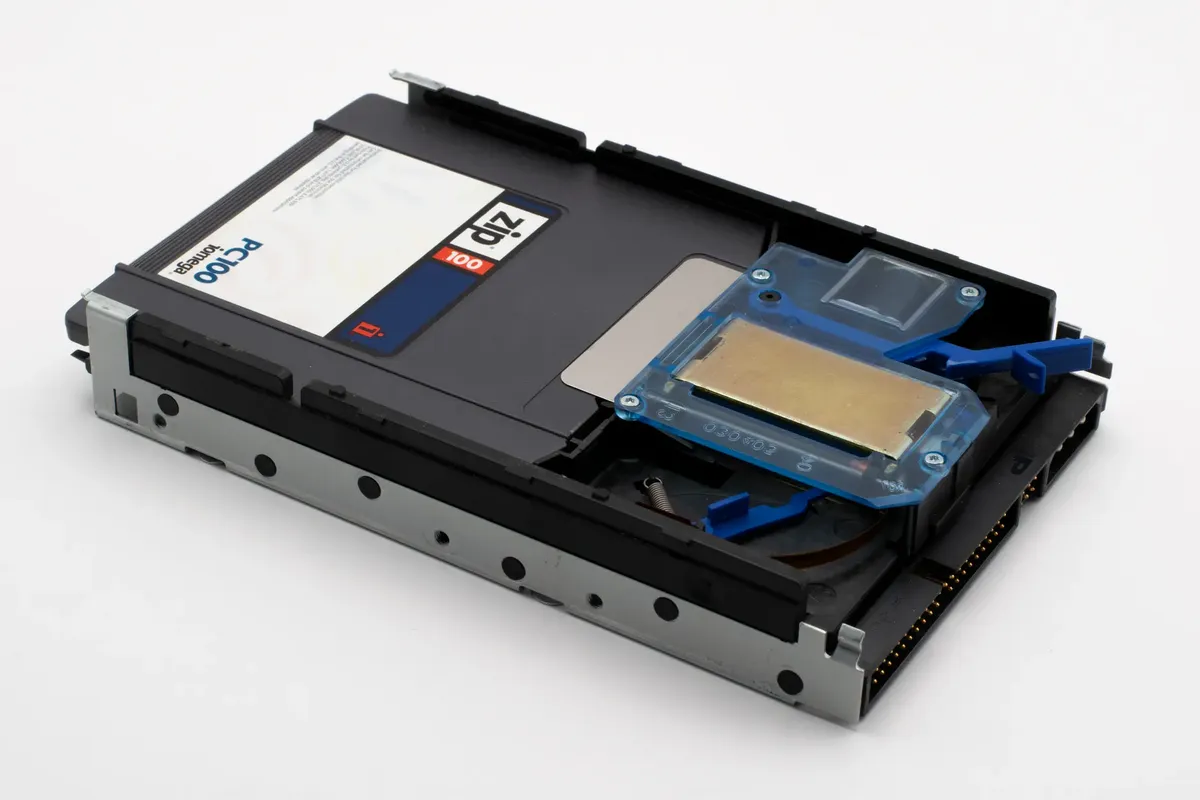
A technician plugs a new high-capacity drive into a computer and begins the long process of moving files from an aging laptop. The task requires organization and careful verification to prevent data loss.
To execute a successful migration, follow these three steps:
- Select an open, non-proprietary format for your master files to ensure long-term readability. 2. Perform a risk assessment of your current storage medium to identify potential points of failure. 3. Verify the integrity of the data after every transfer to ensure no files were corrupted during the move.
I once spent an entire weekend checking checksums after moving a massive collection to a new server to ensure every pixel was intact. This process of moving personal photos safely is essential for maintaining a healthy archive.
How do professional standards apply to personal collections?
A researcher looks at a catalog of criteria, comparing it to the way they organize their own digital folders. They realize that professional workflows can be scaled down for home use.
Professional standards often focus on the audit and certification of repositories. For example, ISO 16919 was published as "requirements for bodies providing audit and certification of candidate trustworthy digital repositories" on 1 November 2014.

While these high-level requirements are designed for institutions, the underlying principles of data integrity and metadata management are applicable to personal archives. You can use these concepts to build a more robust structure for your own digital legacy.
| Standard Type | Focus Area |
|---|---|
| ISO 16363 | Audit and certification of trustworthy repositories |
| ISO 16919 | Requirements for bodies providing audit and certification |
A limitation of applying these standards is that they are often designed for large-scale institutional management rather than individual consumer use.
The same subject is also called Manage personal image data.
This part also covers Data portability for photos.
This part also covers Long term photo data keeping.
This part also covers Rules for personal data move.
Data portability for photos
Related
- Street photography privacy ethics: A guide to balance
- Driving selfie safety tips: Avoid distraction while driving
What happens if I skip the risk assessment step?
Skipping the risk assessment step means you proceed with data migration without knowing where your digital assets are weak. This omission prevents you from identifying potential points of failure in your current storage medium. A failure to assess risks leaves your personal archive susceptible to unforeseen losses.
When is data migration most critical?
Data migration becomes most critical when the storage medium approaches obsolescence. Hardware failure is a certainty over time, necessitating a proactive plan. The process of moving personal photos safely must be viewed as an ongoing maintenance task, not a one-time event.
Data is a fleeting shadow if you only rely on the current state of your storage. Regular data migration counters the effects of bit rot and hardware decay. This continuous action ensures the longevity of your captured moments.








Comments 0